Reduce the RAM memory of CVMs when they are at maximum
Once the CVMs have reached their maximum allocation capacity which is 64GB, it is impossible to reduce this capacity from prism element. A banner appears indicating that you should contact support. Before following this procedure, I obviously suggest contacting support in case of any problems, and that this may be useful to you for a lab.
This action would be to do on each CVM.
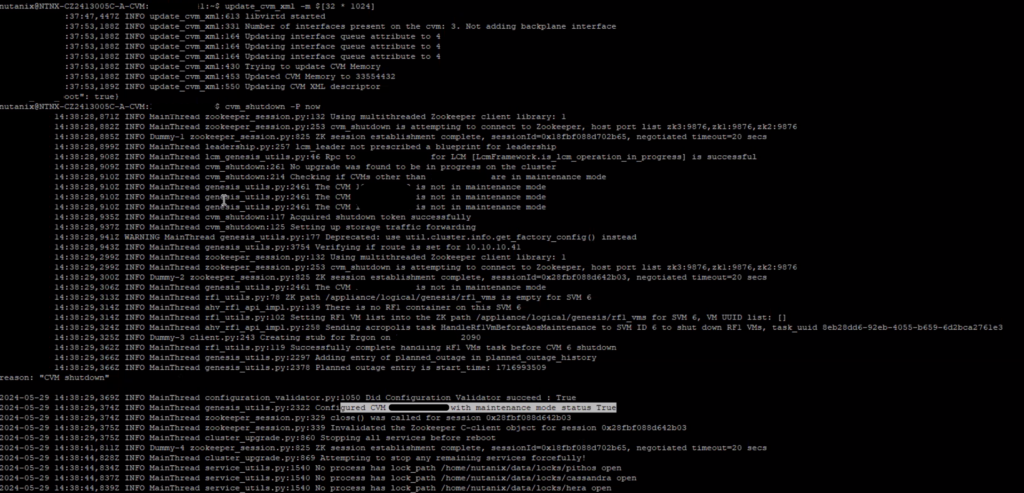
- Connect to a CVM and run the update_cvm_xml script with the -m argument and your new allocation.
- Shutdown the CVM
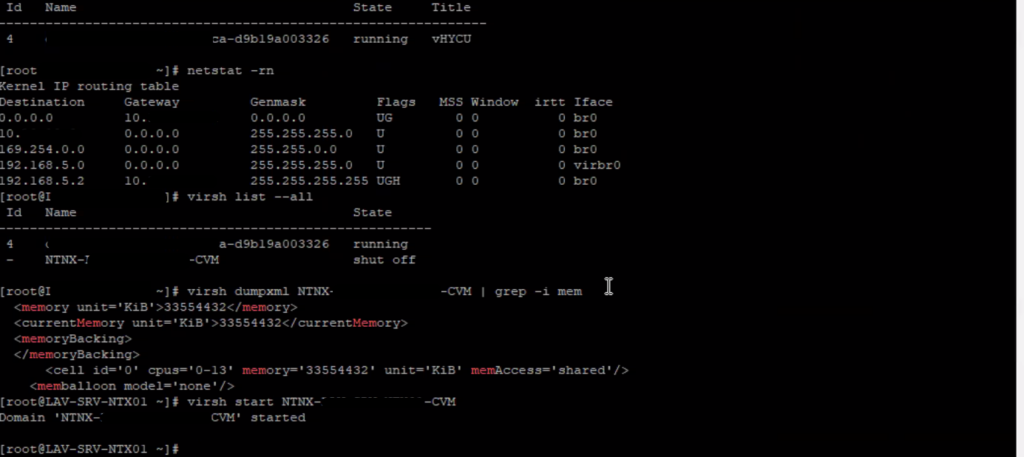
- Check that the I/O traffic is directed to another CVM. Also check that the CVM is turned off. In this case, you can start it.