How to download images from PE.
Mostly of the customers doesn’t know to export the images which is import from Prism Central or Prism Element. In fact the way to make this is pretty simple.
Firstly, you should to get the UUID of the image which you are interested with the command « nuclei image.list count=XX »
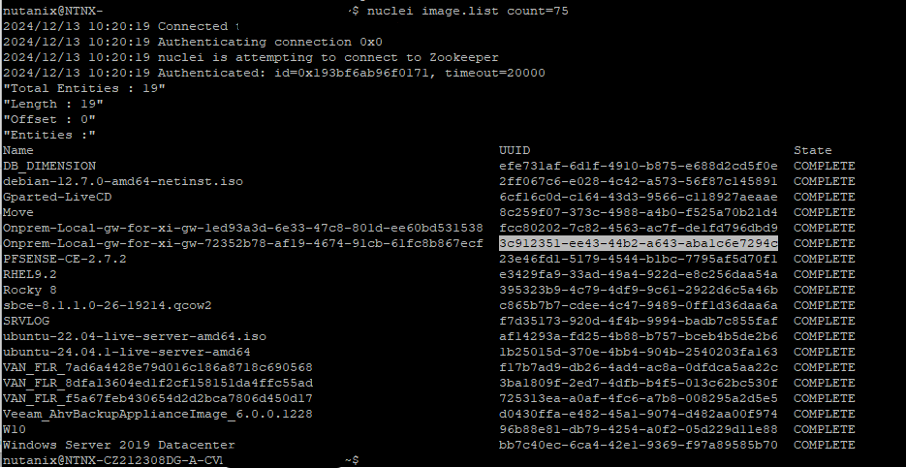
Once the uuid is copied you have several ways to download the image, the first one is through curl,
curl –insecure –user <user name>:<password> https://<CVMIP>:9440/api/nutanix/v3/images/<IMAGE-UUID>/file –output imagename.qcow2
if you are using powershell your can use curl.exe.
Otherwise, if you established a web session you can just get back the image with the url :
