Edit ressources CVMs / vcpu – ram
Officially, foundation automatically calculates the vpcu and RAM requirements of the CVMs. The calculation is based on the number of hyperthreading, the labeled model of the nodes, the storage capacity, the type of removable disk, etc. In my case, I imaged 3 nodes at the same time intended to be a one-node cluster and it turned out that it added all the NVME disks to size the CVM RAM accordingly. To optimize the nodes, I had to downsize and edit the vcpus of the CVMs. This must be done in agreement with support. This procedure is only valid for a one-node cluster.
- We are going to shutdown all VMs guests to be able to reboot the CVM. (from the CVM)
- for i in $(acli vm.list power_state=on | grep -v NTNX | awk ‘NR!=1 {print $NF}’);do acli vm.shutdown $i ; done
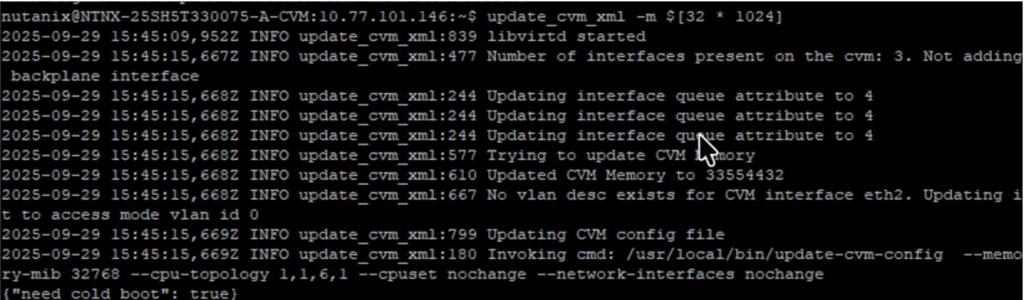
- update_cvm_xml -m $[X * 1024]
- X = Number of RAM in GB.
3. Cluster stop
4. cvm_shutdown -P now
5. You are going to be redirected toward the ahv.
/usr/local/bin/update-cvm-config –memory-mib nochange –cpu-topology <socket_number>,1,<vCPU number>,1 –cpuset nochange –network-interfaces nochange
6. systemctl restart ahv-define-cvm
7. ssh nutanix@192.168.5.2
cluster start